Test Aetherform
Help test Aetherform before its public launch. It's a two-player strategy game for all ages, on Android.
Android phones and tablets only.
-
1
Join the tester group
Tap the button below, then tap "Join group" near the top of the page. Use the same Google account as your phone's Play Store.
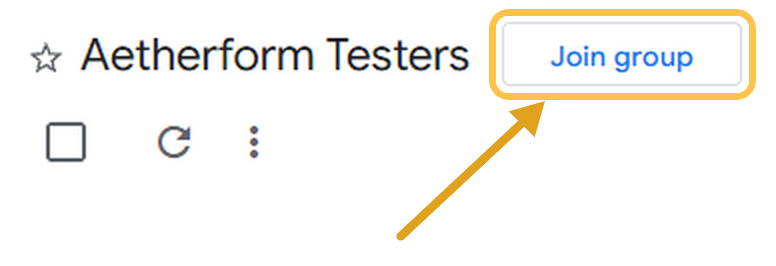
Google may say you don't have permission to view the group's content. That's expected: the group is private and has no messages. Joining still works.
Join the group -
2
Become a tester
Tap the button, then "Become a tester". If it says the app isn't available, wait a few minutes and try again: the group can take a moment to register.
Become a tester -
3
Install the game
Install Aetherform from Google Play. It won't show up in search while it's in testing, so use this button.
Open in Google Play
One favor: please keep the game installed and play a few matches over the next two weeks. Google needs at least 12 active testers for 14 days before the game can go public.